A50 Full Panel Drawing Tablet

The perfect combination of touch experience and physical buttons

Built for a Smoother Workflow

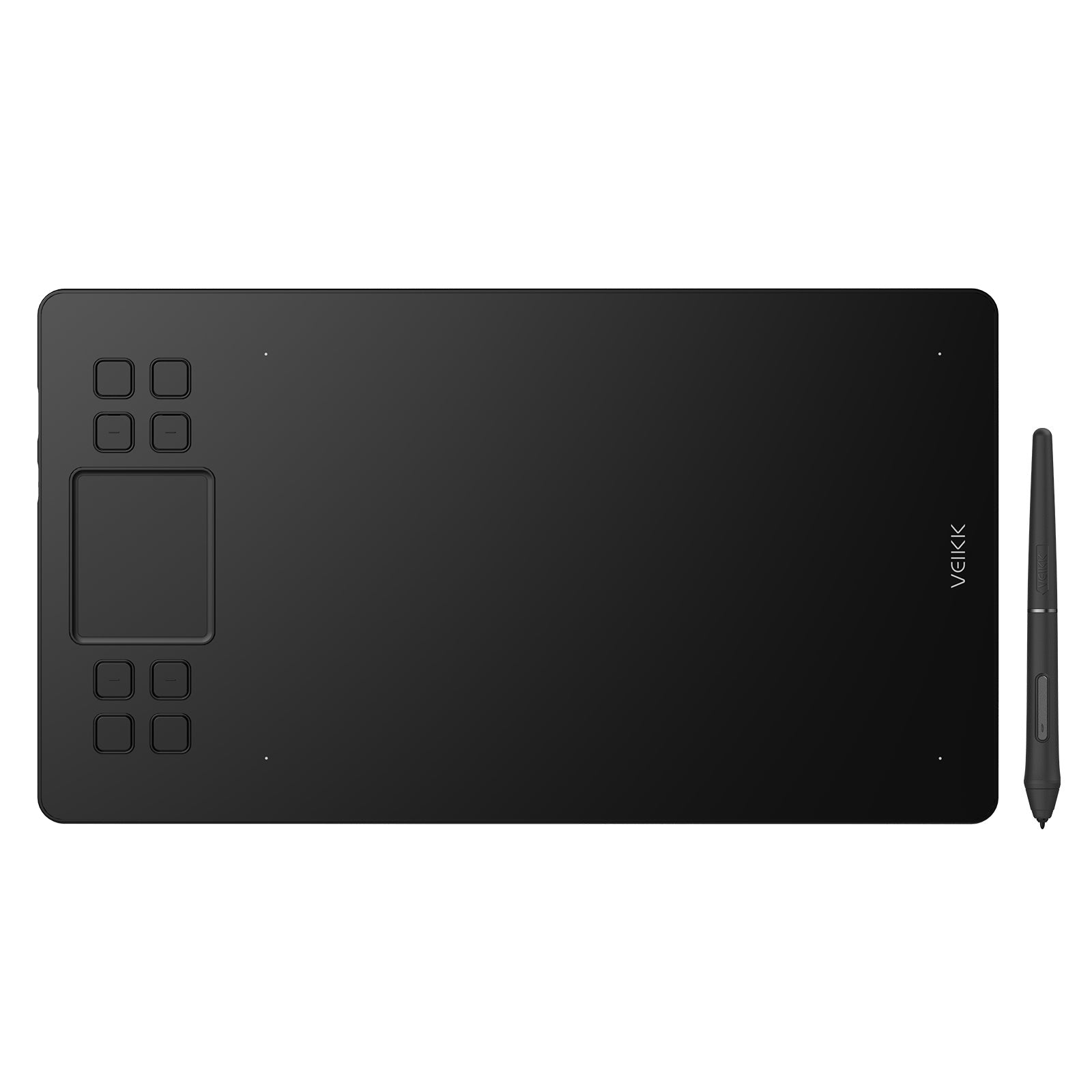
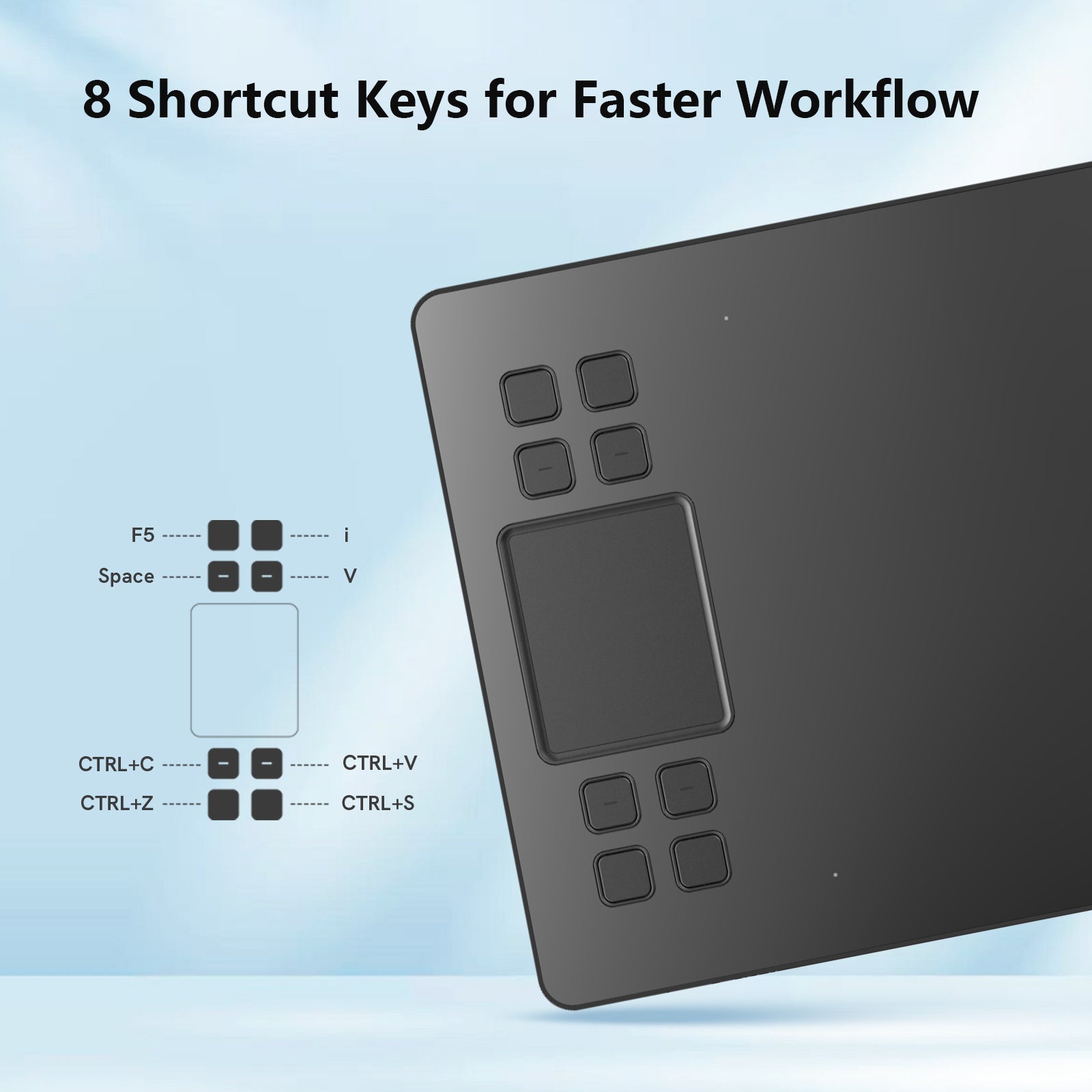
Customize your shortcuts to match your creative habits, from brush control to quick undo on the Creator A50 drawing tablet.
Combined with the touch pad, you can navigate tools and layers effortlessly, keeping your workflow fast, fluid, and distraction-free for digital art, illustration, and design work.

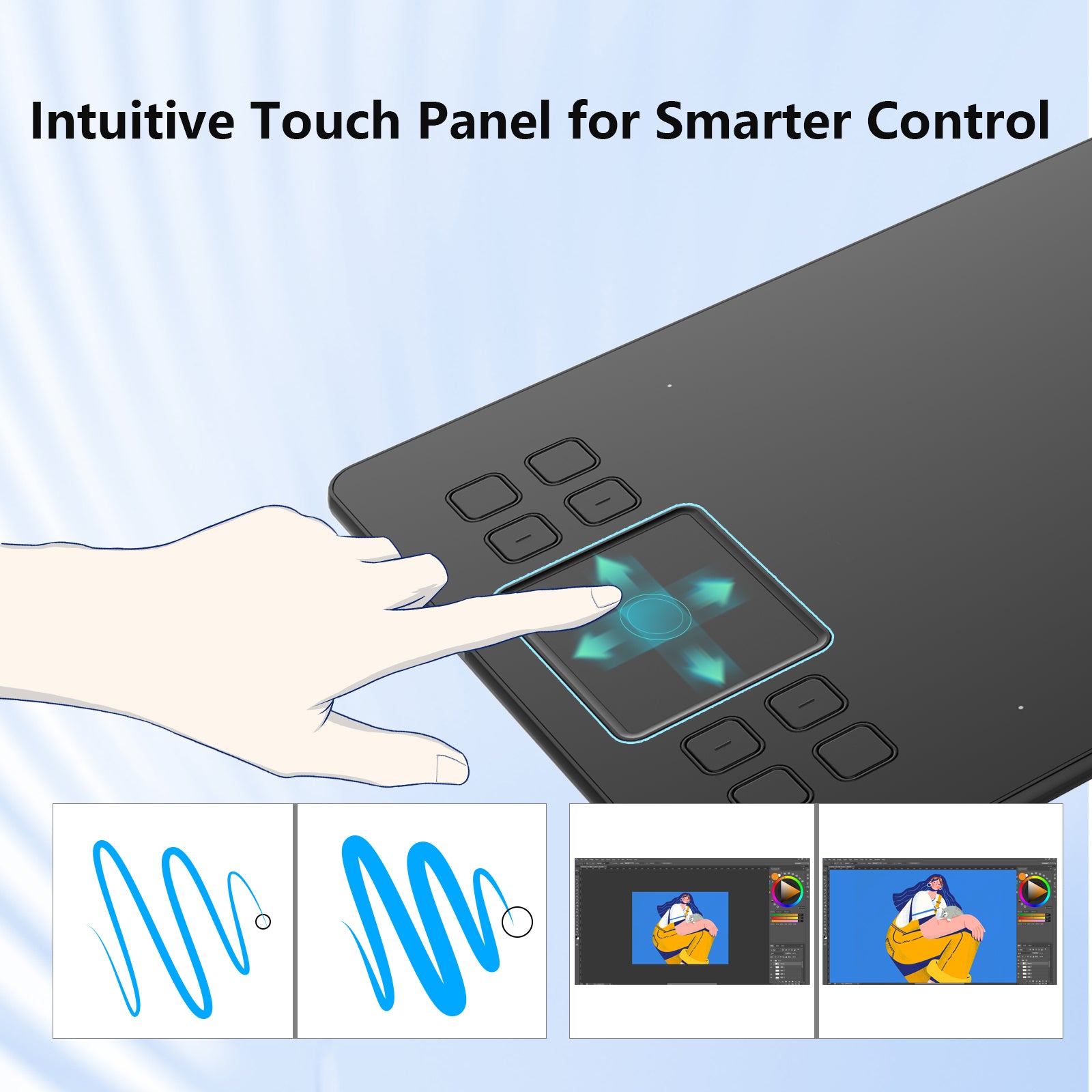
Smarter Control with Gesture Support

The Creator A50 pen tablet supports both single- and multi-finger gestures for quick and fluid control.
Fully customizable to match your habits, helping you streamline your workflow and stay focused on creating.

Use Touch Freely → Disable Anytime

Enjoy intuitive gesture control with the touch pad, and turn it off anytime when you prefer a stylus-only workflow.

Precision That Feels Natural

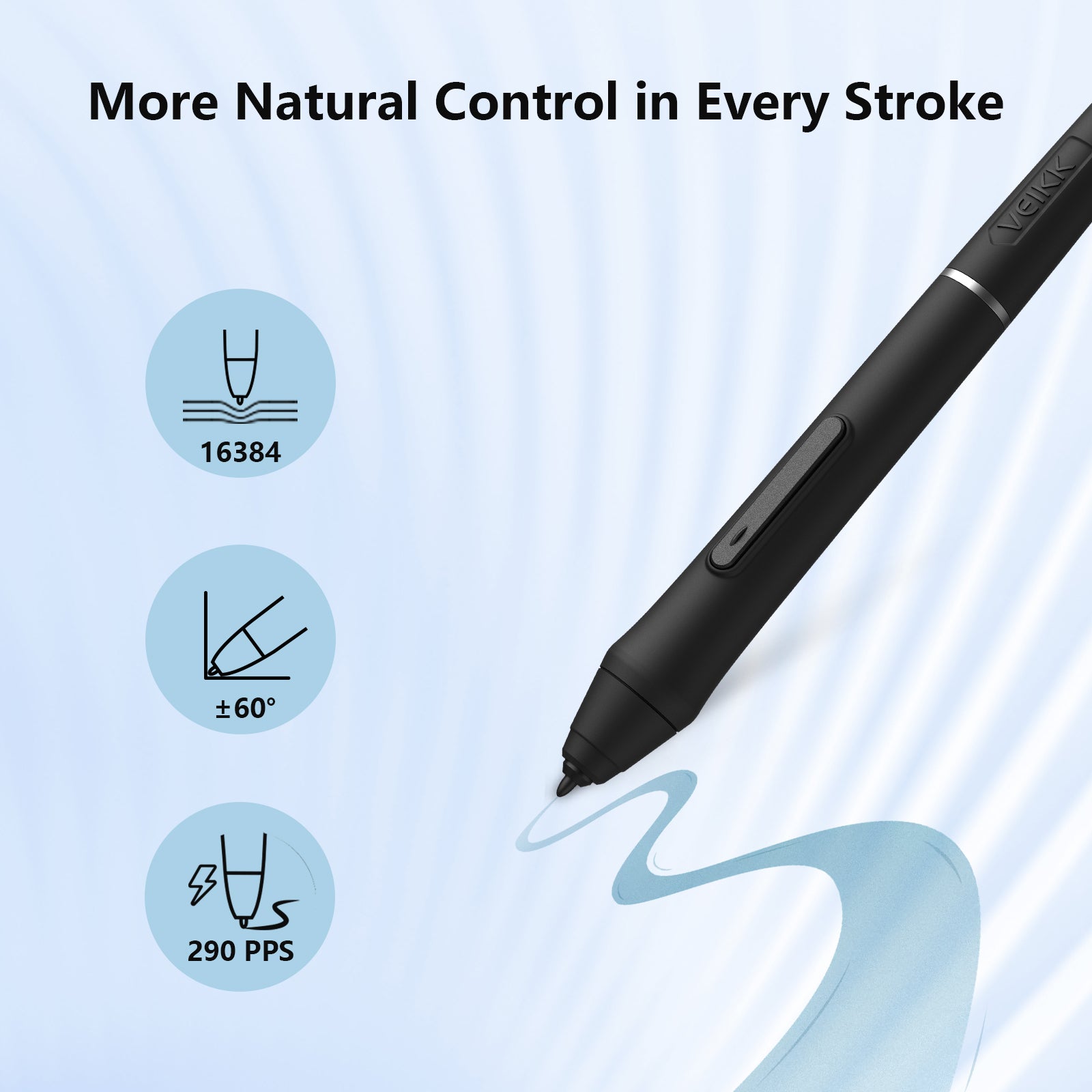
With the P05 battery-free stylus, you can create with accuracy and control, capturing every detail from light sketches to rich digital paintings.
With 16384 levels of pressure sensitivity, every stroke responds exactly to your hand, from the lightest touch to bold lines.
Tilt support up to 60° lets you shade naturally, just like using a real pencil or brush.

Always Ready. No Charging Needed.

Powered by EMR technology, the P05 battery-free pen lets you create without interruptions, so you can focus fully on your ideas instead of power levels.

With instant pen and eraser switching via side buttons, your workflow stays smooth and efficient, with no need to pause or reach for shortcuts.

Big on Space. Light in Your Bag.

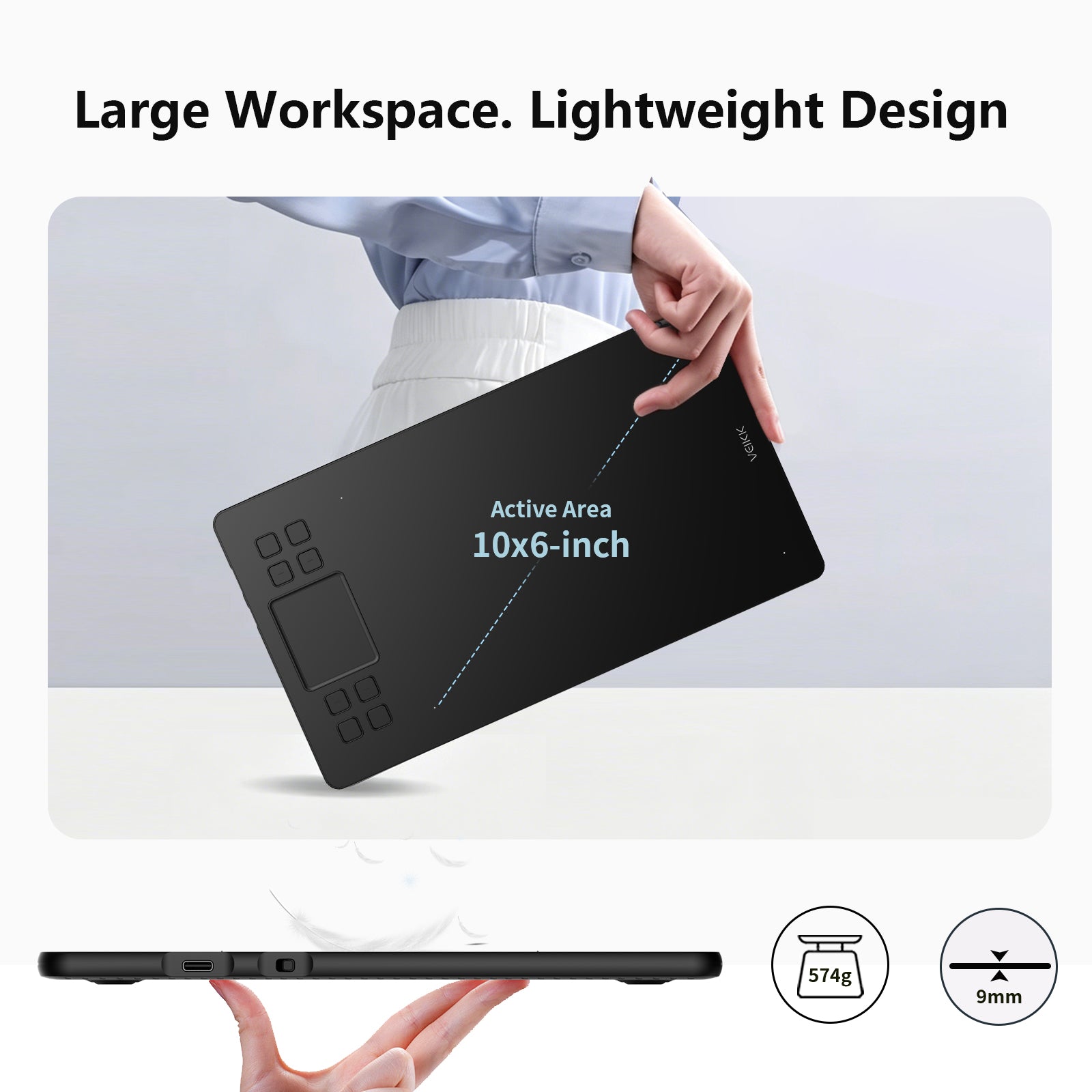
10×6 inch ultra-large working area makes more possibilities!

At just 9mm thin and 517g light, the Creator A50 pen tablet is built for creators on the move and is easy to carry, ready to create anytime.

Fast, Stable USB-C Connection

The A50 tablet features a modern USB-C port that ensures stable, efficient data transmission for a smooth creative experience.
Its reversible plug design lets you connect instantly without checking orientation, so you can just plug in and start creating.

Made for the Way You Create

Whether you're left-handed or right-handed, the A50 pen tablet adapts to your natural way of working.
With support for 0°, 90°, 180°, and 270° rotation, you can set up the orientation that feels most comfortable and keep your workflow smooth and personal.

Unlock Your Creative Workflow

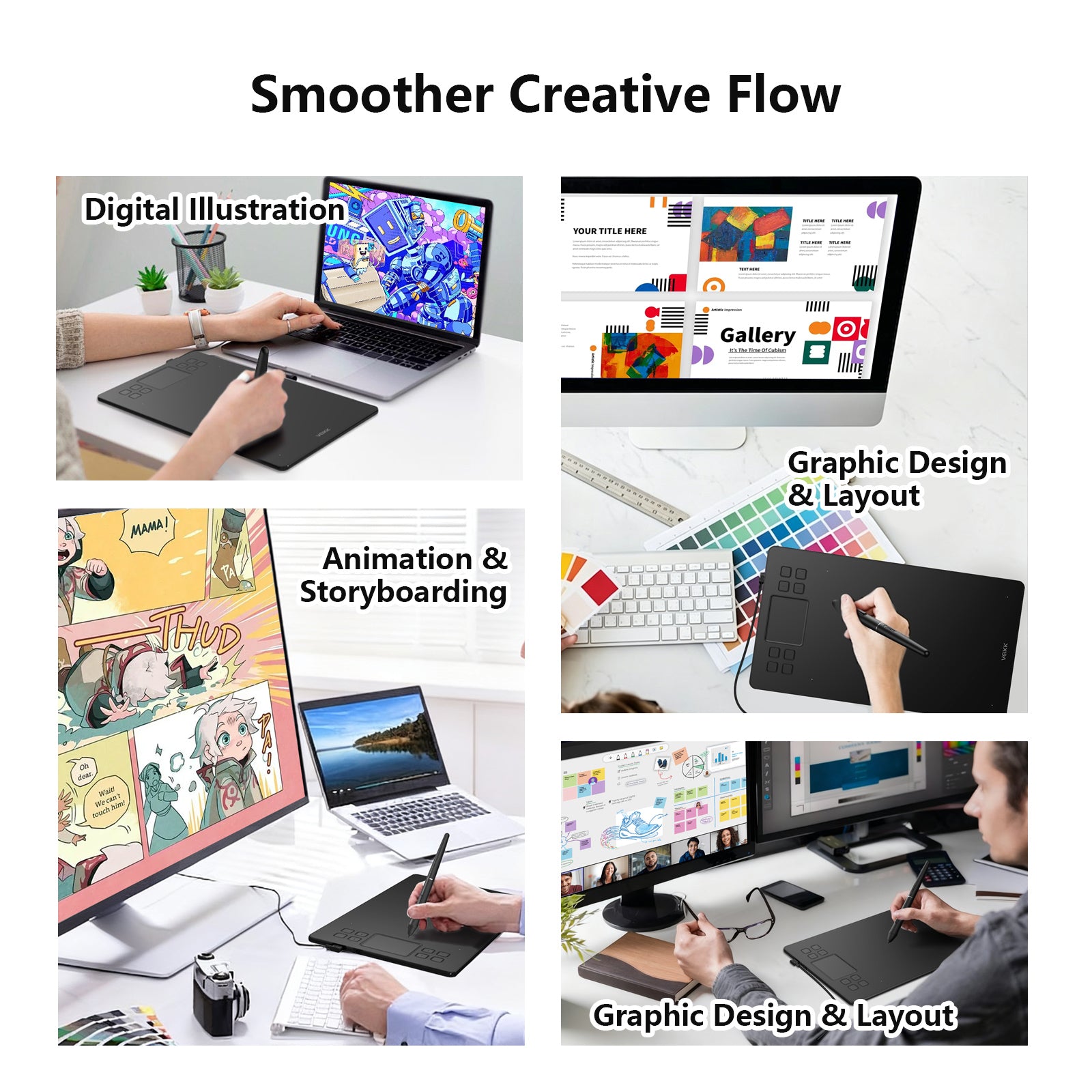
Digital Illustration
Bring ideas to life with precise pen control and smooth strokes for sketching, painting, and detailed artwork.

Animation & Storyboarding
Plan scenes and sketch frames easily to build clear story flow and expressive character movement.

Graphic Design & Layout
Create clean visuals for posters, branding, and layouts with accurate input and fast shortcut control.

Education & Work
Support study, teaching, note-taking, and e-signature with a natural pen experience for simple, efficient workflow.

Works With Your Devices

The Creator A50 pen tablet works smoothly with Windows 7 or later, macOS 10.12 or later, Android 6.0 or later, and Linux, so that you can create freely on your preferred device.

Works With Your Favorite Software

Creator A50 tablet supports industry-standard creative software such as Photoshop, SAI, CorelPainter, Illustrator, SketchBook Pro, Manga Studio, Krita, and more, keeping your workflow fully flexible and uninterrupted.

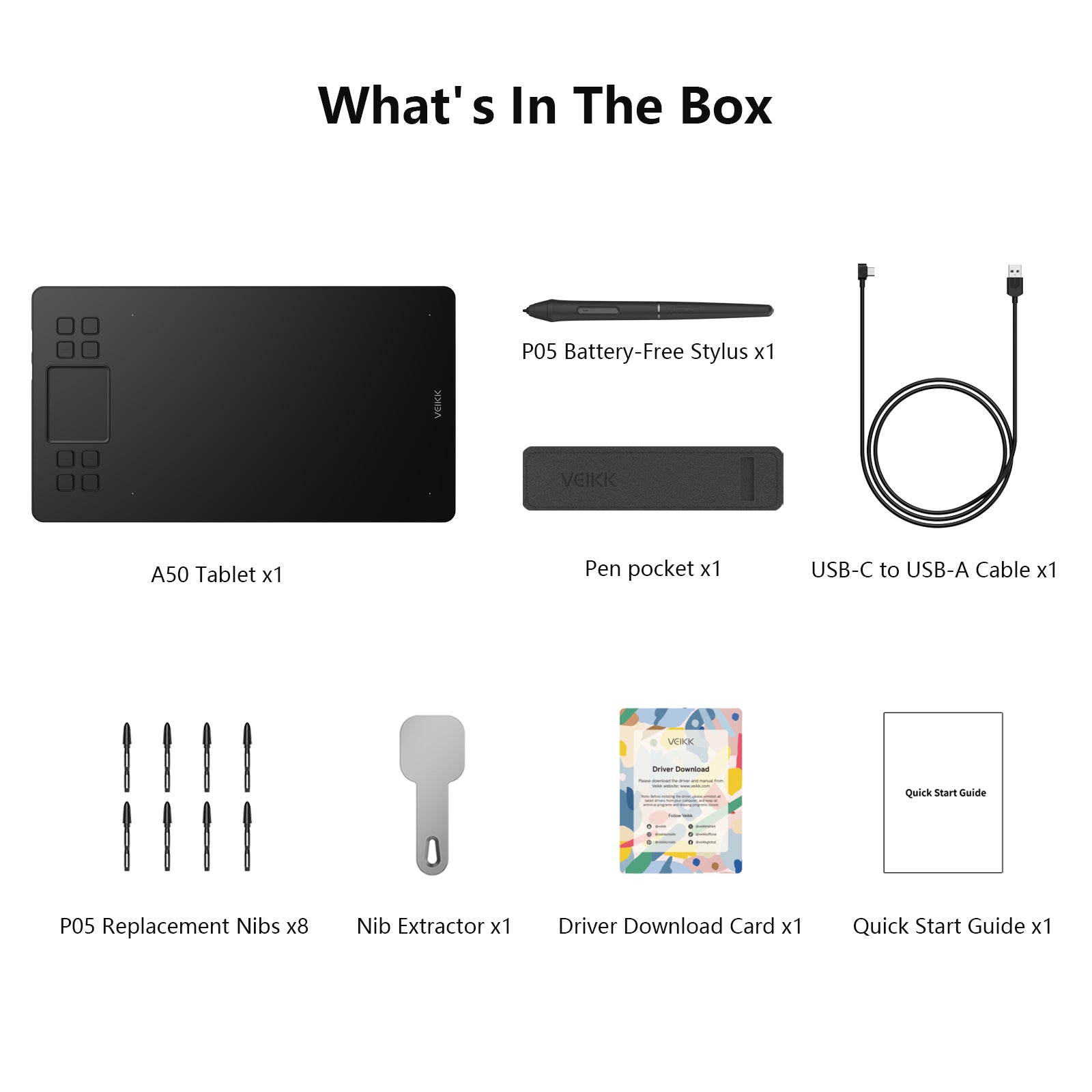
What’s in the Box

1×A50 Tablet
1×USB-C to USB-A Cable
1×P05 Battery-Free Stylus
8×Replacement Nibs
1×Nib Remover
1×Pen Pocket
1×Quick Start Guide
1 x Driver Download Card

Tech Specs

Basic Information

Product Model: A50
Working Area: 10*6-inch
Color: Black
Dimension: 358*200*9mm
Product Net Weight: 517g

Functions & Controls

Press Keys: 8
Touch Pad: 1

Pen Performance

Pressure Sensitivity: 16384 Levels
Pen Resolution: 5080 LPI
Report Rate: 290PPS
Reading Height: 10mm
Tilt Recognition: 60°

Interface & Compatibility

Interface: USB-C
OS Support: Windows 7 or later, macOS 10.12 or later, Android 6.0 or later, Linux

  • 5 stars: 20 (83%)
  • 4 stars: 3 (13%)
  • 3 stars: 1 (4%)
  • 2 stars: 0 (0%)
  • 1 star: 0 (0%)
T
Teeranai Chaiyasan

Very fast delivery, though the tracking is a bit confusing. But the delivery came through and ny little brother really like it! He like the bigger pad. Overall; quality stuff.

O
Omar Hassan
Creator A50 - 5 stars

Not perfect, but definitely good value for money.

C
Chloe Dubois
Creator A50 - 5 stars

Stylish and functional. Exactly what I needed.

A
Adam Richardson
Creator A50 - 5 stars

Been using it almost every day for a few months now. No weird issues, no random disconnects — honestly that reliability matters most to me.

L
Leo Andersen
Creator A50 - 5 stars

Overall, a solid choice if you’re looking for something affordable but reliable.

Y
Yuki Tanaka
Creator A50 - 5 stars

Using it for online classes and note-taking. Very responsive and accurate.

A
Anna Petrova
Creator A50 - 5 stars

Works well with Krita and Clip Studio. Pressure sensitivity is decent.

E
Ethan Brooks
Creator A50 - 5 stars

Good alternative to more expensive brands.

J
Jason
Creator A50 - 5 stars

Honestly bought this because it was cheap. Ended up being better than expected.

S
Sophie Laurent
Creator A50 - 5 stars

Love the minimal design. Looks clean on my desk and doesn’t take much space.

M
Megan Scott
Creator A50 - 5 stars

I don’t draw professionally, but this is really enjoyable to use.

E
Elena Ivanova
Creator A50 - 4 stars

Outer box had a small corner damaged during shipping, but thankfully the inside was protected well. Product itself works perfectly fine.

E
Emily Davis
Creator A50 - 5 stars

Affordable and does everything I need for class assignments.

N
Ner
Creator A50 - 4 stars

I recently purchased the A50 from Veikk and, it's a beautiful tablet. The pen came with a small complement of interchangeable nibs and a tool to remove the nib for replacement. The pressure was good, I could use a light touch which is a plus for my drawing style.

M
MiD
Creator A50 - 5 stars

I'm an artist. The A50 has 8 hotkeys and a gesture pad, plus a battery-free stylus just like the Intuos. The stylus has two side buttons, one for switching between the pen and eraser and one for right-clicking. This tablet is a lot cheaper than any of the Wacom tablets, but has the same features as the Intuos Pro. It's around the same size as my Intuos Pro M, though a little smaller. The A50 is also a lot lighter and thinner, so it's easier to carry around! The VEIKK tablet is great for that.

T
Tasha
Creator A50 - 5 stars

This is such an awesome product for beginners. the interface is easy. Pen pressure is amazing and it's also super cheap with all these amazing features. The buttons are easy to access and the short commands are nice. it feels great to use, it's precise with great tilt and pressure sensitivity. a wonderful tablet at an affordable price.

D
Dane
Creator A50 - 5 stars

I've been really enjoying this little tablet! Im not a good artist by any means, but I am having fun practicing and improving with the a50. It's taking some getting used to, drawing on the tablet while looking at my computer screen, but I think that'll just come with time.

E
Evian
Creator A50 - 5 stars

The first thing about this tablet that really made me have a wow moment was the quick arrival. It came within three days rather than just two.
Though once it arrived, I swore I never been so slow and gentle opening it. It had a really beautiful casing and the way everything was laid out inside. It was actually the first time I had seen a tablet come in a protective sheer wrapping rather than just lay bare within the box. It really shows the company takes great care of their products, to ensure they are safely handled and brought to the Client in excellent condition. I also enjoyed the fact the pen came with its own separate carrying case to store it in if you was ever done using it. Was proven to be very useful to me.
I prefer Veikk's tablet over my Wacom tablet, there was only a few cons vs the pros. I am excited to use it more often and perhaps get to buy another of their products down the line.

A
AA
Creator A50 - 5 stars

The durability of the top of the tablet surprised me how strong it is! At first I had to adjust and press harder to get the line I wanted and I was concerned I'd scratch the screen. (I have another tablet from another company that got scratched easily so it made me start to draw softly). But this tablet held up very very well and the screen still looked brand new. I was impressed.One thing I had difficulty with yet loved, is the Pen/Eraser button on the pen. I loved it because my other tablet only has an eraser button, so Veikk's pen made it super convenient to switch. But the difficulty was there were multiple times it wouldn't respond and I'd have to press it a couple of times to get it to change. I got used to it though and was still able to do what I wanted I enjoyed the setup for the shortcut keys. It was clear and showed all the different options you can put. In my other tablet with another brand, it's not clear so I still have yet to figure out which buttons I'll use

j
jasper
Creator A50 - 4 stars

Got this tablet since my last two broke on me and I wanted something a bit higher end. I will update this review if the tablet or pen break on me, however the build quality is a lot nicer than the previous $30 tablets I used. The pen comes with 8 replacement pen tips and a tool to remove the pen tips, too.
The pen is about the size of a marker and the tablet is also very large. The usable portion of the tablet is about the size of letter paper. I keep it on my desk and use it as a mouse pad when I’m not using the pen. Drawing with it is very accurate with both the position and pressure of the pen.
The software is one of two gripes I have with this product. When I play OSU I like to confine the usable area of the tablet to a corner. The software doesn’t allow you to keep the aspect ratio of the usable area constant, so you have to just try and keep the aspect ratio constant when resizing it.
Another small annoyance with the tablet is the trackpad. The buttons are nice and can be remapped easily using the driver software, but I don’t see a reason for there to be a touchpad. The touchpad only has 5 functions and I accidentally trigger it a lot by brushing my hand against it. It would be much simpler to just have some buttons in place of the trackpad.

r
robert
Creator A50 - 5 stars

14yr old really likes it and uses it every chance she gets. Got used to the "draw here view there" easily.

M
Mauri
Creator A50 - 5 stars

Para ser una marca poco conocida la calidad del producto es muy bueno, el tamaño me encanta pero depende del gusto de cada quien. de repente para otra persona podría ser muy grande.

J
Janine
Creator A50 - 3 stars

Make sure you're aware that this hooks up to a computer and must stay hooked up while using.

G
George Adams
Creator A50 - 5 stars

Very beginner-friendly. I was drawing within minutes.

FAQs

What Warranty Comes with My VEIKK.com Purchase?

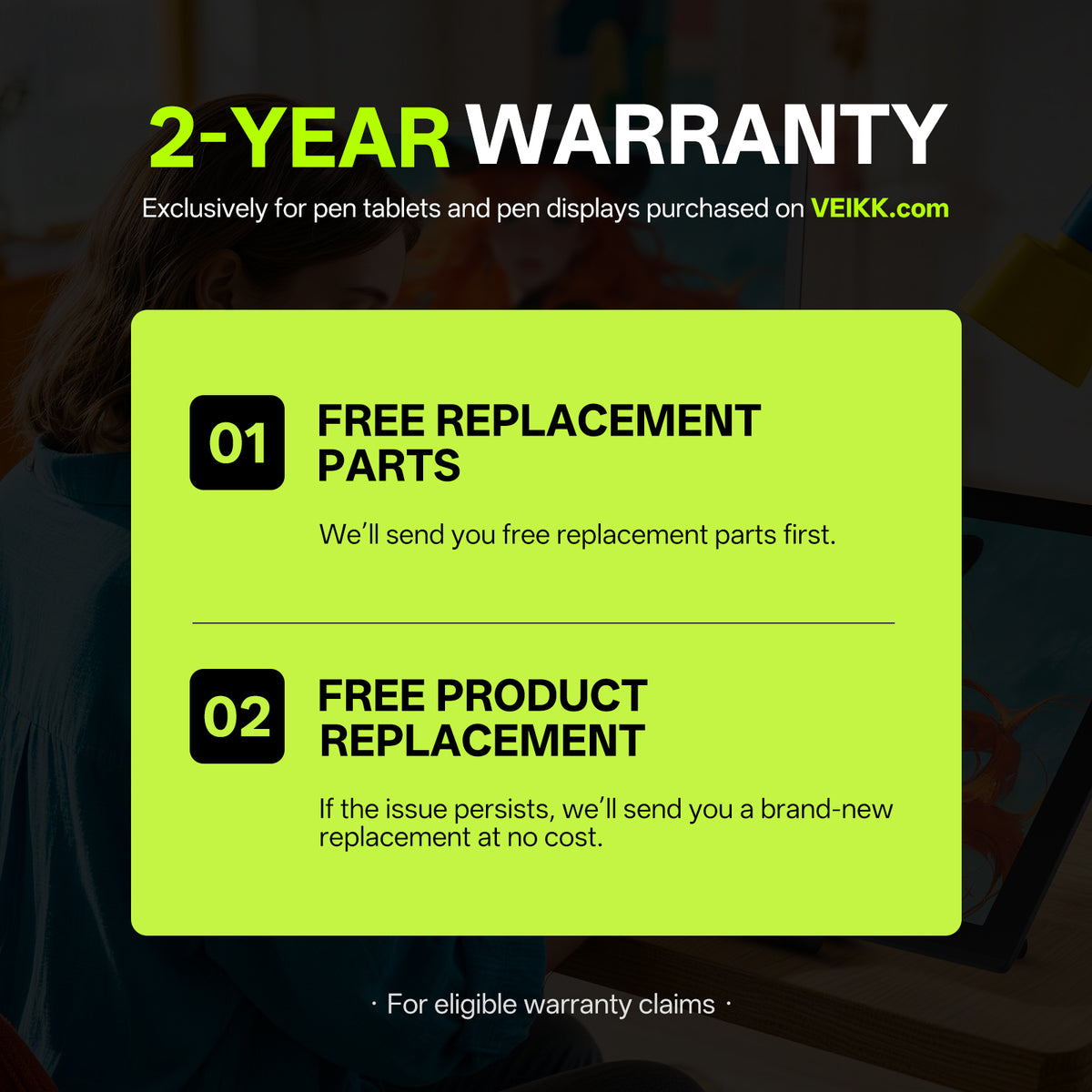
VEIKK pen tablets and pen displays purchased from VEIKK.com come with an exclusive 24-month warranty.

What Happens If My Product Has a Quality Issue?

We'll first provide free replacement parts to help resolve the issue. If the issue persists, we'll provide a new replacement product at no additional cost.

How Long Will It Take to Receive My Order, and How Can I Track It?

Orders are normally processed and shipped within 2 business days. Estimated delivery times after shipment are:

  • United States & Canada&Mexico: 3–12 business days
  • Europe&UK: 5–10 business days
  • South Korea, Australia & New Zealand: 4–8 business days
  • Thailand, Vietnam, Malaysia & the Philippines: 3–8 business days
  • Other destinations: 5–25 business days

Delivery times are estimates and may vary depending on your destination and customs clearance. Once your order ships, tracking information will be sent to your checkout email address.

What If I Need Help with My Product?

Contact our support team at service@veikk.com for help with product setup, driver installation, usage, troubleshooting, and after-sales support.

Can A50 be customized for different markets? 

Yes. We support customized solutions such as packaging customization, product information adjustment, and OEM/ODM cooperation based on different market requirements.

Get A Tailored Quote 

Contact us for wholesale pricing, bulk orders, partnership opportunities, and customized solutions.